Sky
The Skybox module (the Skybox tab) owns the scene's sky while it is enabled. It:
- sets the scene's skybox. It renders through a private copy of the Skybox Material, so the material asset on disk never changes, and it hands the scene back the original material when it saves.
- rotates the Sun Light from Time of Day, and by default sets its intensity and colour.
- sets the scene's ambient light to a three-colour gradient (Environment Lighting Gradient), blended between night and day colours. It does this every frame, in the editor too, so ambient colours authored in the Lighting window are overwritten.
- optionally drives the fog (Drive Fog, off by default).
Enabling the module also adds a Skybox Volume Cycle component beside it, for the post-processing cross-fade.
The day
Time of Day runs from 0 to 24. The sun rises at 06:00, peaks 55° above the horizon at 12:00 and sets at 18:00. The peak is capped below the zenith on purpose, so vertical surfaces keep their side lighting. The sun's path across the sky is fixed; you move it with the time, not by rotating the light.
Below the horizon the light plays the moon: it turns to the moon's direction and, with Drive Sun Light on, dims and turns blue. The sun disc keeps the true sun position.
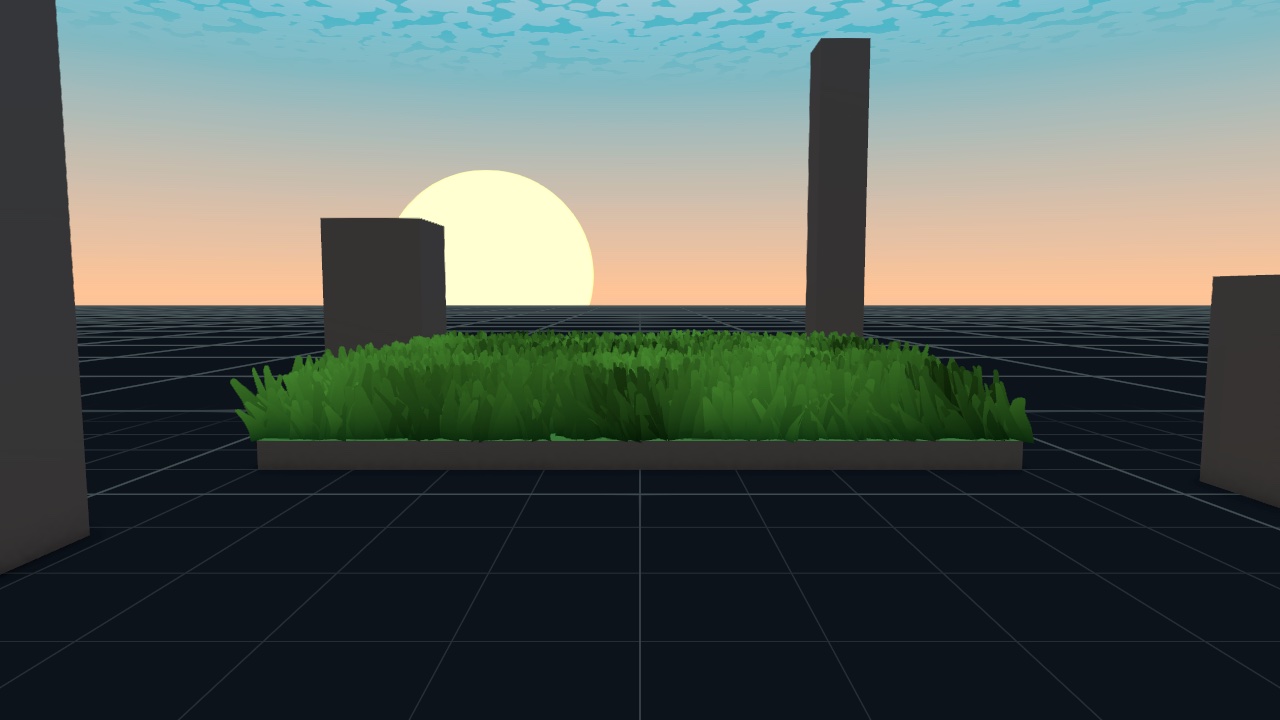
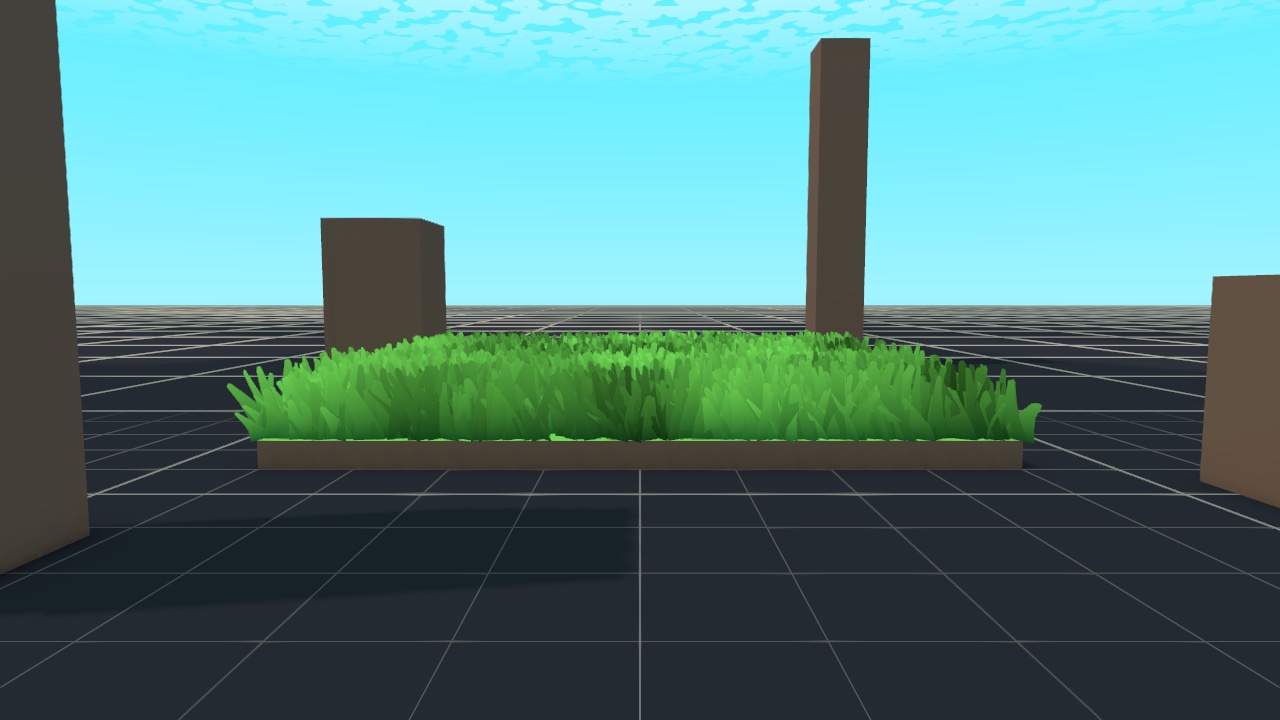
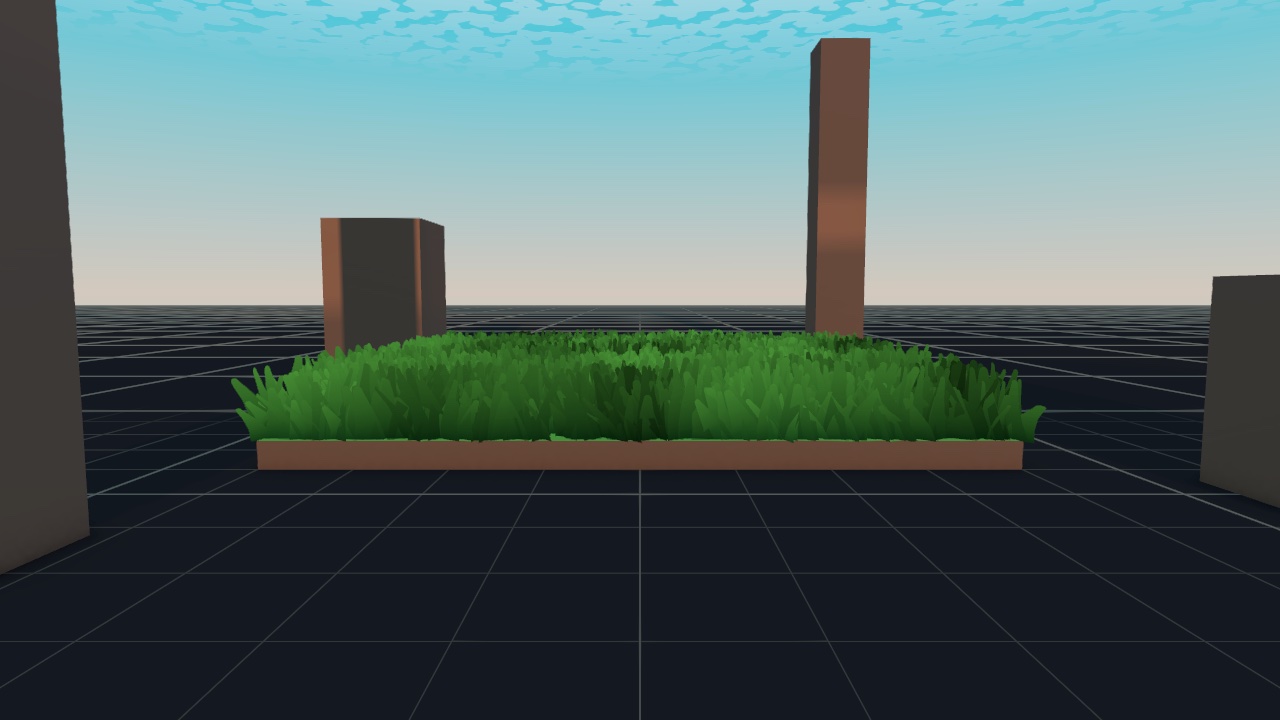
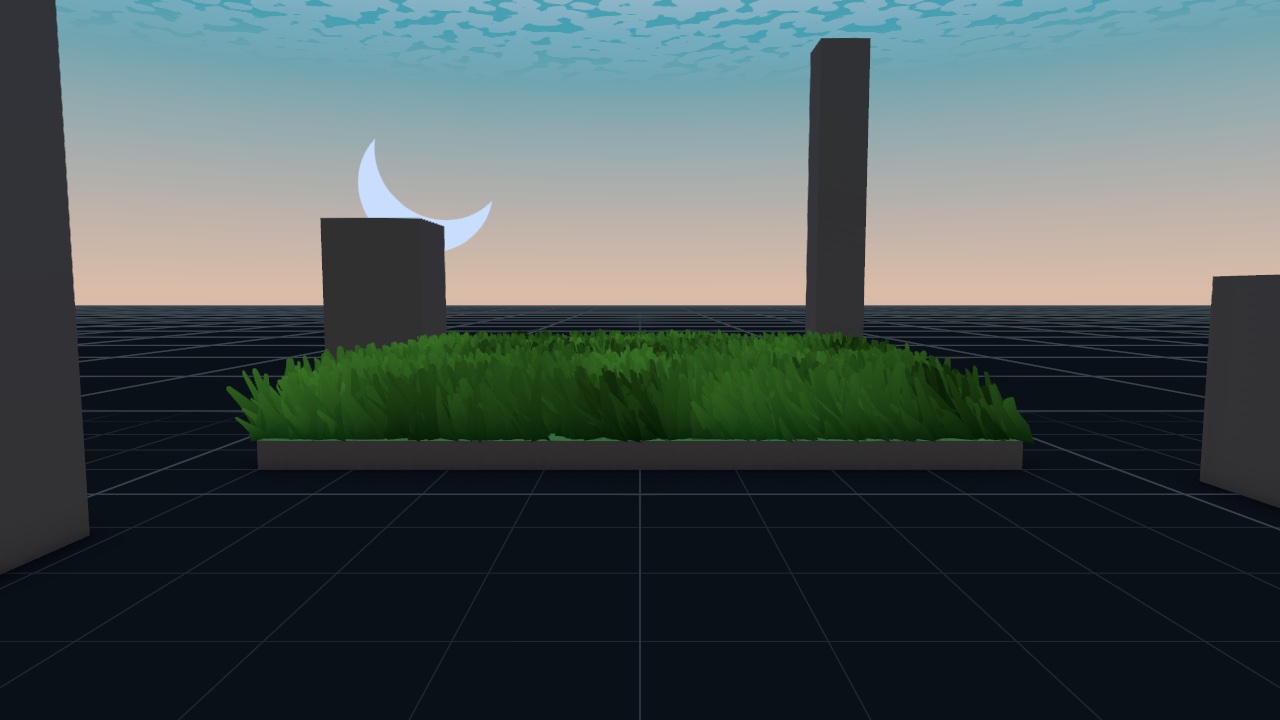
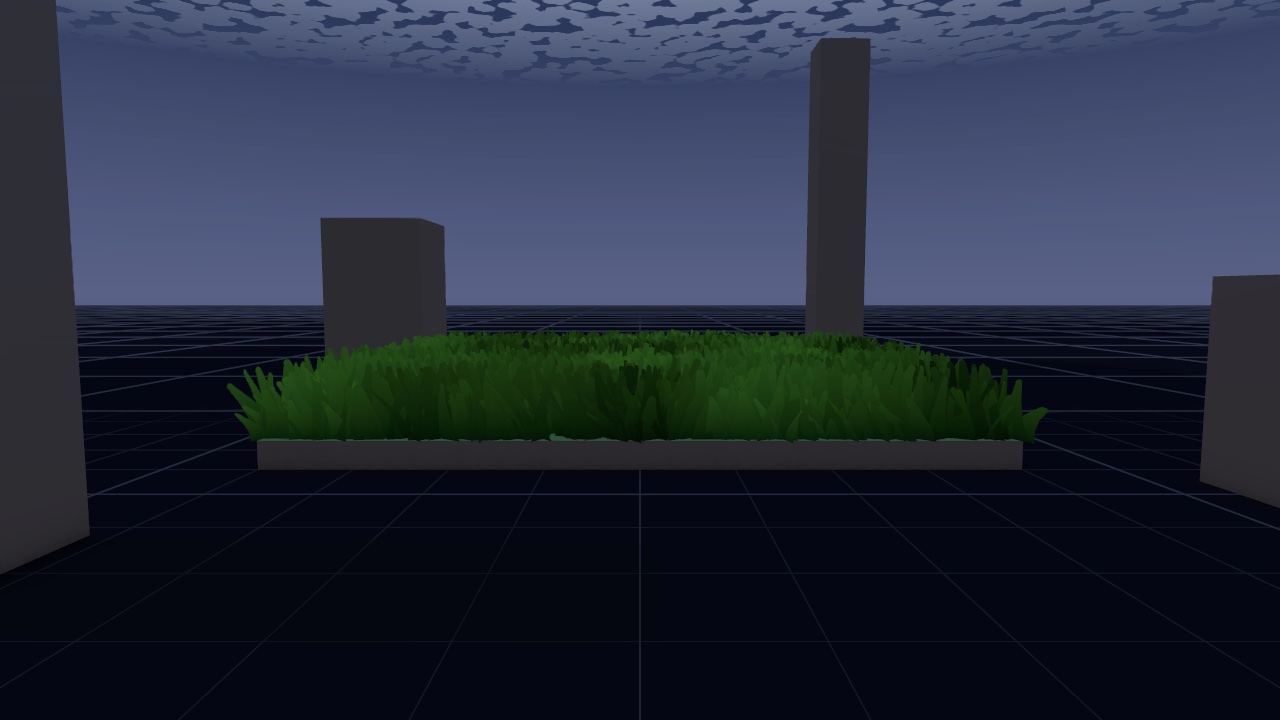
Animate Cycle runs only in Play mode. It starts from Time of Day and keeps its own clock, so it never writes back into the asset.
SKY
| Section | Setting | What it does | Default |
|---|---|---|---|
| Day / Night Cycle | Time of Day (h) | Hour of the day, 0 to 24. | 12 (shipped preset 13.5) |
| Animate Cycle | Advance the time in Play mode. | Off | |
| Cycle Duration (s) | Seconds for a full 24-hour day. | 120 (shipped preset 20) | |
| Day Sky | Top Color, Bottom Color | Day gradient, top and bottom. | |
| Night Sky | Top Color, Bottom Color | Night gradient. | |
| Horizon | Offset | Moves the horizon band up or down, -1 to 1. | 0 |
| Intensity | Strength of the horizon band, 0 to 10. | 3.3 | |
| Day Color, Dusk Color, Night Color | Horizon band colour by day, at sunrise and sunset, and by night. Blending only day and night leaves the horizon grey at dusk. | ||
| Sun Light | Drive Sun Light | Set the light's intensity and colour from the time of day. The light is rotated either way. | On |
| Sun Intensity | Light intensity at full day. | 2 | |
| Sun Color (Noon) | Light colour with the sun high. | White | |
| Sun Color (Low) | Light colour at sunrise and sunset, blended in at low elevations. | Warm orange | |
| Moon Intensity | Light intensity at night. | 0.35 | |
| Moon Color | Light colour at night. | Pale blue | |
| Ambient Light | Day Sky, Day Equator, Day Ground, Night Sky, Night Equator, Night Ground | The scene ambient gradient, blended from night to day by the sun's height. Driven directly instead of from the skybox probe, so WebGL builds match the editor. |
The Sun Light settings show while Drive Sun Light is on. Near the horizon both the sun and moon intensities fade to zero, so the switch between them is never visible.
FOG
Off by default, so a scene keeps the fog it authors in the Lighting window. With Drive Fog on, the module turns fog on, sets it to Linear, and blends its colour and distances between night and day, with a dusk colour near the horizon.
| Section | Setting | Default |
|---|---|---|
| Drive Fog | Off | |
| Color | Day, Dusk, Night | Sky blue, warm orange, dark blue |
| Distance | Day Start (m) / Day End (m) | 60 / 260 |
| Night Start (m) / Night End (m) | 30 / 170 |
POST-PROCESSING
Dusk Volume and Night Volume are scene Volumes that the Skybox Volume Cycle fades in over your scene's base Volume:
- The dusk Volume's weight is 1 with the sun on the horizon, falling to 0 by 18° above or below it. Leave it empty to grade dusk with the night Volume alone.
- The night Volume's weight ramps from 0 at sunset to 1 once the sun is about 30° below the horizon.
Give both a higher priority than the base Volume, and night higher than dusk. Have each one override only what differs from the base; anything they leave alone keeps the base value.
CELESTIAL
| Section | Setting | What it does | Default |
|---|---|---|---|
| Sun | Color, Radius | The sun disc. | White, 0.1 |
| Moon | Color, Radius | The moon disc. | White, 0.15 |
| Crescent | Offset that cuts the moon into a crescent. | (0.25, 0.5, 0.5) | |
| Stars | Texture | Star field texture. | StarField (shipped preset) |
| Cutoff, Speed | How many stars show, and how fast they drift. | 0.08, 0.3 | |
| Sky Color | Tint of the starry sky. |
SKY CLOUDS
With the Clouds module on, the sky draws the Clouds module's clouds, so every cloud overhead is the one casting the shadow beneath it. Shape them on the Clouds tab. Here, only the Color section applies.
Without the Clouds module, the sky draws its own texture clouds from Main Layer and Secondary Layer (cutoff, fuzziness, scales, speeds and the noise textures behind MORE · NOISE TEXTURES).
Color sets Day Edge, Day Main, Night Edge and Night Main, with Stretch, Offset and Horizon Fade behind MORE.
REFERENCES
| Setting | What it does |
|---|---|
| Sun Light | The directional light the module rotates and drives. Assigned when the module is created. |
| Skybox Material | Template material. The module renders through a private copy and never writes to this asset. |
Night factor and exposure for your shaders
The Skybox module publishes two global floats:
_FableNightFactor: 0 by full day, 1 by full night. Read it in your own shaders to switch on lit windows or glowing water at night._FableExposure: how bright the scene's light is now, as a fraction of full day, 0 to 1. Fable's grass and ground shaders keep a lit surface at exactly its albedo by day and multiply by this, so they dim at dusk and night along with standard lit objects.
Both are 0 when no Skybox module runs; Fable's shaders then treat exposure as 1.