Grass: look profiles
A look profile (GrassSettings) describes how blades are shaped, coloured and scattered.
The LOOK group on the Grass tab, and Density under SETUP, edit the selected
patch's profile.
The look library
The package ships twelve profiles in Modules/Grass/Presets, plus GrassSettings_Preset,
the default a new patch gets.
| Profile | Blade | Density (blades/m²) |
|---|---|---|
| Meadow | Procedural, rounded | 117 |
| Savanna | Procedural, pointed, tall | 78 |
| Lawn | Procedural, pointed, short | 176 |
| Frost | Procedural, pointed | 128 |
| Undergrowth | Procedural, rounded, short, clumped | 22 |
| Blossom | GrassBlade_Blossom mesh |
98 |
| Daisy | GrassBlade_Daisy mesh |
3.5 |
| Wildflower | GrassBlade_Daisy mesh, clumped, slopes up to 45° |
0.35 |
| Wheat | GrassBlade_Wheat mesh |
8 |
| Reed | GrassBlade_Reed mesh |
9 |
| Bush | GrassBlade_Bush mesh, slopes up to 32° |
0.05 |
| Mushroom | GrassBlade_Mushroom mesh |
1.3 |
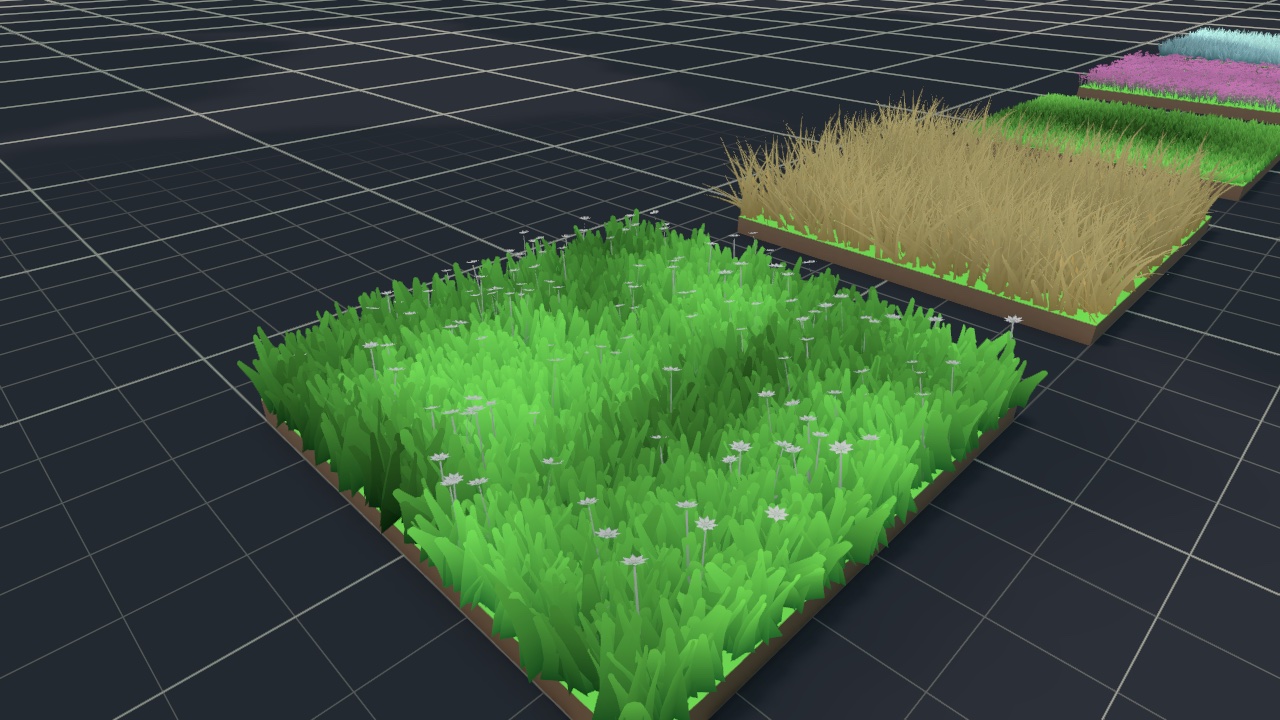
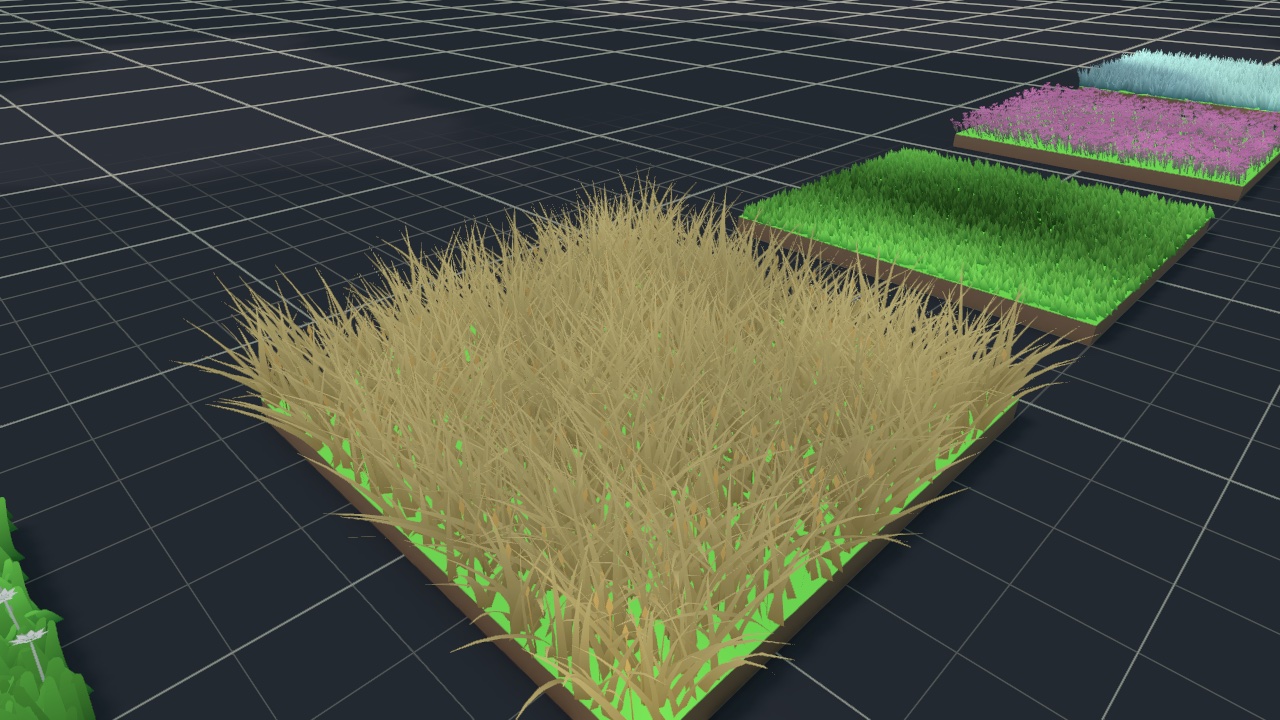
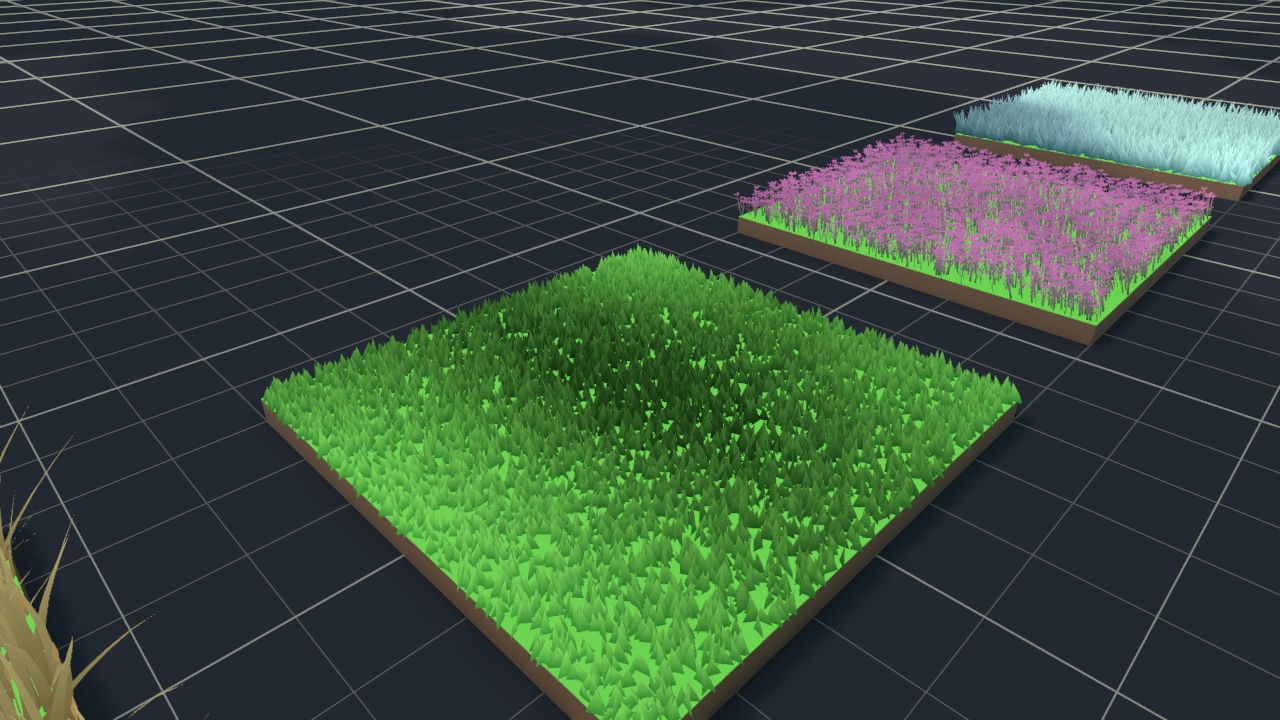
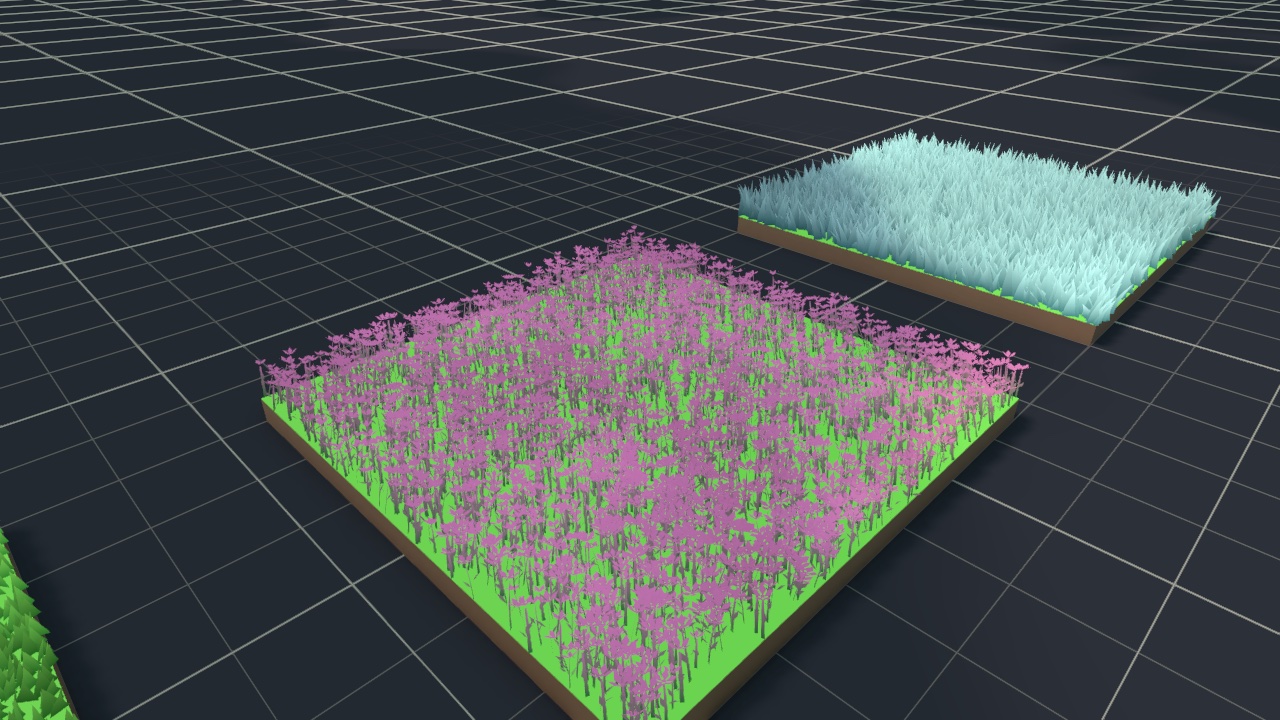
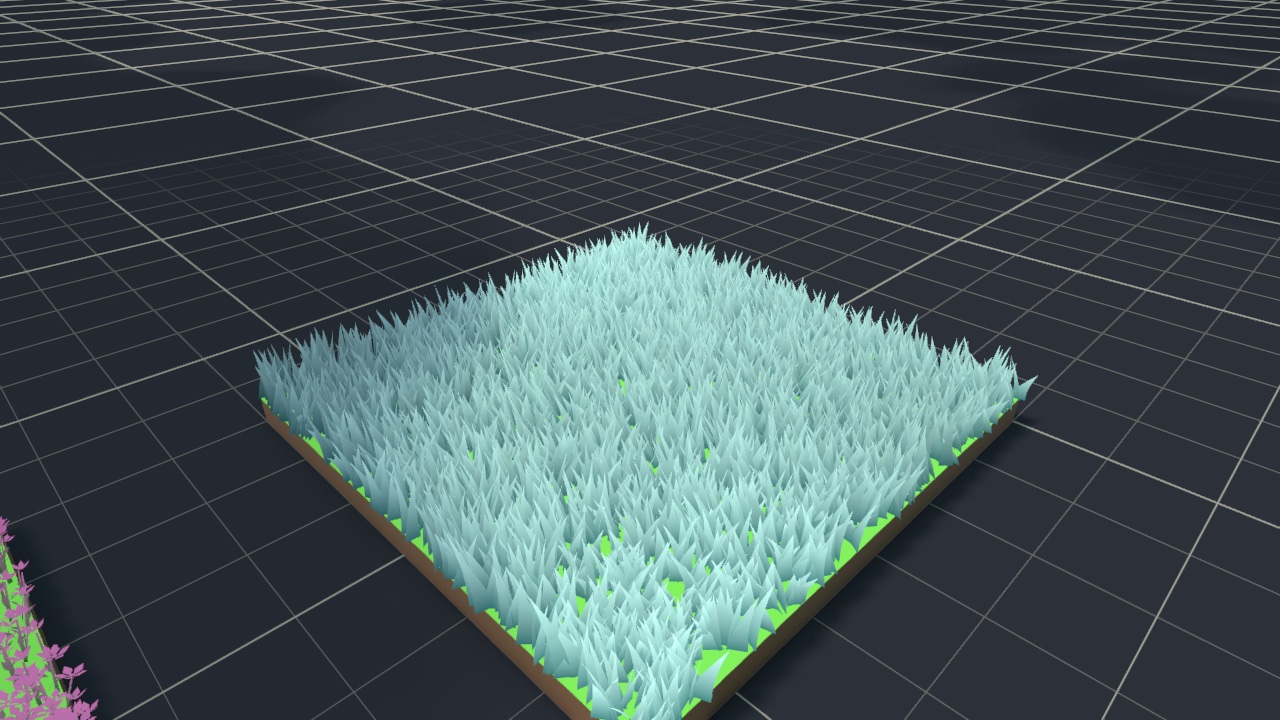
The first five are full grass covers. The mesh profiles are decoration layers: give each
one its own patch over the same surfaces as a cover. The six decoration meshes live in
Modules/Grass/Meshes.
GrassSettings_Preset is a procedural rounded blade at 32 blades/m², with clumping and
terrain blending on.
As with every preset, make your own copy before you change a shipped profile.
Color
The colour model is a vertical gradient from Base Color to Tip Color, optionally blended toward the ground at the base (Terrain Blend), then brightened and darkened by world-space noise.
| Setting | What it does | Default |
|---|---|---|
| Base Color, Tip Color | Gradient from root to tip. | Dark green, light green |
| Variation | How much brighter or darker the noise patches get. 0 is flat colour. | 0.25 |
| Variation Scale (m) | Frequency of the colour patches: higher gives smaller patches. | 0.5 |
| Vertex Colours | How far a custom mesh's vertex colours replace the gradient, so a painted part (a flower head) keeps its own colour. No effect on a mesh without vertex colours. | 1 |
| Wind Highlight | How strongly blades tint toward the wind colour as a gust front passes. 0 is off. | 0.35 |
| Trample Highlight | How strongly pushed blades tint toward the trample colour, fading as they recover. 0 is off. | 0 |
| Drift (MORE · DRIFT, HIGHLIGHT COLORS) | How far whole patches of the field, metres across, pull toward the drift colour, like sun-bleached drifts in a meadow. 0 is off. | 0 |
| Drift Color (MORE) | The colour drifted patches pull toward. | Yellow-green |
| Drift Scale (MORE) | Frequency of the drift patches: higher gives smaller ones. Around 0.05 gives drifts about 20 m across. Keep it well below Variation Scale so the two patterns layer instead of fighting. | 0.05 |
| Wind Color, Trample Color (MORE) | The two highlight colours. | Pale yellow, yellow-green |
Size
| Setting | What it does | Default |
|---|---|---|
| Height — Vary | Off: every blade has one height. On: each blade picks a height in a range. | Off |
| Height (m) | The fixed height, or the range when Vary is on. | 0.4 (range 0.4–0.6) |
| Width — Vary | As for height. | Off |
| Width (m) | The fixed width, or the range. | 0.08 (range 0.08–0.12) |
For a custom mesh, the mesh's own size is the largest a blade gets. The range only sets how much smaller the others can be (its minimum divided by its maximum).
Blade
| Setting | What it does | Default |
|---|---|---|
| Source Mode | Procedural generates the blade. CustomMesh uses your mesh. | Procedural |
| Custom Mesh | The mesh, for CustomMesh. | None |
| Blade Texture | An alpha silhouette cut out of every blade. White RGB with a shaped alpha reads as a tuft; it is tinted by the colours. Empty gives a hard-edged blade. | None |
| Alpha Cutoff | Alpha below this is discarded. Shown once a Blade Texture is set. | 0.5 |
| Sections | Rows along the blade. More bends more smoothly. | 4 |
| Bend | How far the blade curves over. | 0.35 |
| Shape | Pointed, Rounded or Card. Card keeps its full width to the top: use it with a blade texture whose alpha carries the silhouette. | Pointed |
| Tip Sections | Segments in a rounded tip (Rounded only). | 4 |
| Bend Exponent (MORE) | How the bend is distributed along the blade. | 1.6 |
Custom meshes
A blade mesh grows along +Y from its origin, which is planted on the ground. Fable draws only the mesh's first submesh, with the patch's material, and colours it from the gradient and the mesh's vertex colours. Materials and textures on the source model are not used.
To turn an ordinary model into a grass mesh, select the model in the Project window and choose Assets > Fable > Bake Grass Mesh. The bake:
- merges every part into one submesh,
- writes each part's colour (material tint times texture) into vertex colours,
- rewrites UV0 to run from 0 at the root to 1 at the top,
- saves
<Model>_Grass.assetbeside the model. Baking again overwrites it in place, so profiles that use it stay linked.
It warns if the model's lowest point is not at its pivot. Move the pivot to the root, or the plants float or sink.
Then set the profile's Source Mode to CustomMesh, assign the baked mesh, and turn Camera Effects off (see below).
Orientation
| Setting | What it does | Default |
|---|---|---|
| Yaw Spread (°) | How wide an arc of facing the blades spread across, centred on the wind direction. 0 is all facing one way, 180 fully random. | 110 |
| Lean — Vary / Lean (°) | Lean from vertical per blade, fixed or in a range. | On, -10 to 10 |
| Camera Effects | Apply the rig's View Facing and Camera Splay. Keep it on for flat blade cards, which vanish edge-on without them. Turn it off for 3D decoration meshes (flowers, mushrooms, bushes) that must sit still while the camera moves. | On |
| Wind Response | How much this patch bends in the rig's wind. 1 is like grass, 0 rigid (rocks, cacti), above 1 looser. Interaction and splay are not affected. | 1 |
Placement and clumping
| Setting | What it does | Default |
|---|---|---|
| Max Slope Angle (°) | Steepest surface grass grows on. 90 is anywhere. The blade count is kept: the limit thins the field rather than punching holes in it. | 90 |
| Clump Strength | Gathers the same number of blades into tussocks with thinner ground between them. 0 is a uniform spread. | 0 (0.55 in GrassSettings_Preset) |
| Clump Size (m) | World size of the tussock pattern. | 5 |
| Clump Seed (MORE) | Seed for the tussock pattern. Profiles that share a clump seed and size grow their tussocks in the same places, for example a tall field and its undergrowth. | 1000 |
Terrain Blend
| Setting | What it does | Default |
|---|---|---|
| Enable | Blend the blade base toward the ground colour underneath, so grass sits into paths and patches instead of floating over them. | Off (on in GrassSettings_Preset) |
| Blend Height | How far up the blade the ground colour reaches. | 0.35 |
| Blend Strength | How strongly it blends. | 0.85 |
Each patch with blending on captures a top-down colour map of the ground. The capture renders only the layers in the quality asset's Terrain Map > Layer Mask, never the grass's own layer. Lighting is switched off for the capture, so the map holds the ground's own colour and the blades light it live, through the whole day cycle. See Terrain Map for the capture settings.